Note: These help files are no longer maintained. For the new VitalCDM documentation, visit https://docs.healthcatalyst.com/vitalcdm/.
Signing In to Vitalware
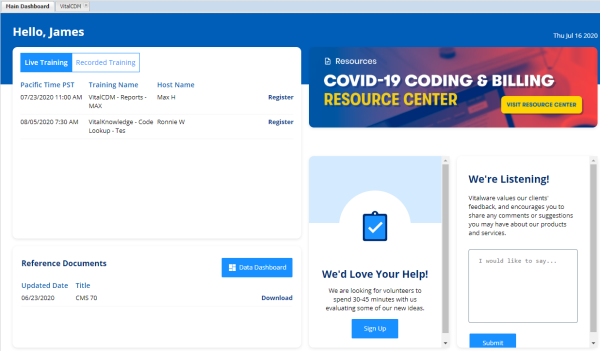
The Vitalware dashboard is the home screen and access point for your Vitalware products. To sign in to your product and open the dashboard:
- Navigate to http://www.vitalware.com.
- Click Sign in in the upper right corner.
- Enter your Vitalware Username and Password.
- Click Sign in. The Vitalware sign in dialog box also allows you to:
- Reset your password.
- Display customer support contact information.
Note: If your organization uses single sign-on (SSO) credentials, select Or login with External Login and enter your single sign-on username and password.
You can sign up for training classes, find information on code updates, download user guides, provide feedback, and open your Vitalware product from the Vitalware dashboard.